A wireless mouse that accepts an ordinary battery can be easier to live with than one that needs another charging cable. The difficult choice is whether to prioritize a familiar desktop shape, a smaller travel-friendly body, or Bluetooth for a second computer. These three established gaming mice take different approaches to that problem. They make most sense when a local offer is attractive and the exact older model is clearly identified. The comparison focuses on connections, grip fit and practical ownership, rather than treating the largest advertised DPI number as a buying verdict.
Scope: This guide compares the named established models, including legacy versions. It is not a ranking of the newest releases. Verify the exact revision and local availability before ordering.
How this comparison was researched: GearTrio has not hands-on tested these devices. We checked manufacturer documentation and independently published RTINGS tests on 22 October 2026. Test impressions belong to the linked reviewers; buying recommendations are our editorial interpretation. Older reviews and different test-bench versions do not establish a fresh head-to-head benchmark.
Three products at a glance
| Product | Connection / design | Main reason to consider it | Trade-off |
|---|---|---|---|
| Logitech G305 LIGHTSPEED | USB receiver; one AA battery | Straightforward receiver-based desktop setup | No Bluetooth; battery adds mass |
| Razer Orochi V2 (2021) | Receiver or Bluetooth; AA or AAA | Small body and flexible battery choice | Original 2021 model; compact fit is not universal |
| Corsair KATAR PRO WIRELESS | Receiver or Bluetooth; one AA | Compact design within an iCUE setup | Older platform; verify local stock and OS behavior |
Logitech G305 LIGHTSPEED
The G305 uses a USB receiver and one AA battery. Logitech advertises up to 250 hours of operation and a HERO sensor reaching 12,000 DPI in its product documentation. Those are manufacturer specifications, not battery or tracking results measured by GearTrio. The practical limitation is clear: a computer needs a suitable USB connection for the receiver because this model does not offer Bluetooth. A USB-C-only laptop may need an adapter, which should be included in the purchase budget.
In its G305 review, RTINGS describes a solid shell, strong click responsiveness and a compact egg-shaped body, while identifying weight and large-hand fit as limitations. That supports considering the mouse for someone who already likes smaller rounded shapes. It does not establish that every hand will find it comfortable or that the switches will last a particular number of years. The review applies to the original G305, not a later product carrying additional words in its name.
Our recommendation is to favor the G305 when one desktop, one receiver and predictable battery replacement describe the entire job. It is less persuasive when frequent switching between a work laptop and a home computer is essential. Before buying, check that the correct receiver is included, the battery cover closes securely and the side buttons sit under your thumb without changing grip. These checks are especially worthwhile on open-box stock.
Razer Orochi V2 (2021)
This entry means the original Razer Orochi V2, model RZ01-0373, released in 2021. Razer also lists a 2026 revision, so the year is part of this comparison’s identity. The original supports a USB receiver or Bluetooth and accepts either an AA or an AAA battery, used individually. Razer’s support specifications give separate battery-life claims for the two connection modes. We do not combine those maxima into a promise for everyday use or transfer the original review findings to the newer revision.
RTINGS found the original mouse light, well constructed and responsive over its receiver in its hands-on review. Its grip guidance favors fingertip use for medium or larger hands, with more options for smaller hands. That is useful context for a travel mouse: a short body can save bag space while providing less palm support than someone expects. The reviewer also noted software and Mac-related limitations, so Bluetooth availability alone should not be read as complete configuration support on every operating system.
Choose this version if portability and connection flexibility matter more than a substantial palm-filling shell. Battery selection changes both mass and balance, so comparisons that quote a shell-only weight can be misleading. Check which battery was used in any weight claim you read. A good return policy is more valuable here than assuming a familiar brand name guarantees the right grip. The exact original model number should be visible on the seller’s listing or packaging.
Corsair KATAR PRO WIRELESS
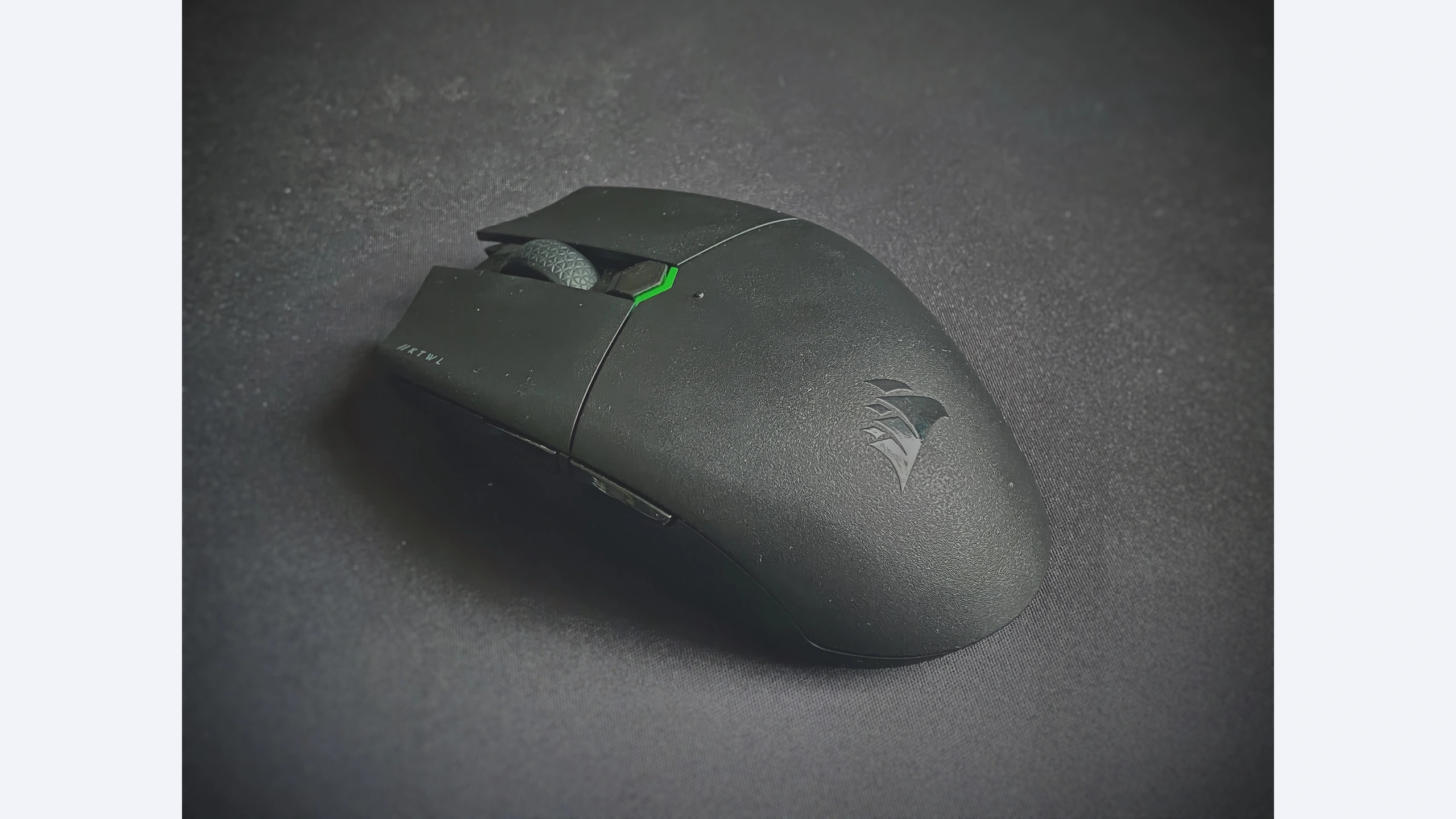
The KATAR PRO WIRELESS belongs in this shortlist because it combines a compact body, a USB receiver and Bluetooth with a single AA battery. Corsair’s original announcement specifies a 10,000-DPI sensor and up to 135 hours of battery life. That announcement is an historical specification source, not confirmation of today’s retail price or availability. The wired KATAR PRO XT is a different product and should not be substituted in a listing or review comparison.
In its independent test, RTINGS highlighted a sturdy small shell, receiver storage and low click latency. It considered fingertip grip a natural fit, with palm and claw suitability depending on hand size. These observations support the KATAR as an alternative compact shape rather than proof that it feels identical to either rival. The review uses an older test methodology than some subsequently retested mice; a numerical latency league table assembled from those pages would imply more comparability than we can justify.
The strongest reason to consider it is a favorable exact-model offer combined with a preference for Corsair’s configuration environment. The main reason to pause is uncertainty about old stock, receiver completeness or Bluetooth behavior on your actual system. Test connection switching and wake behavior while the return window remains open. A modest purchase saving is quickly lost if the mouse needs an extra adapter, an unavailable receiver or repeated troubleshooting before ordinary work can begin.
How to choose for your setup
Start with the connection you need every day. A receiver-only mouse can be entirely practical on a desktop with spare ports, but the same design becomes awkward on a thin laptop used away from a dock. Bluetooth is useful for general work and switching devices; for gaming, use the receiver mode discussed in the relevant test. Its presence is a convenience feature, not evidence that every connection has identical latency.
Next, consider how you hold the mouse. Measure your current comfortable device and note where the hump meets your palm. A photograph provides useful shape context but cannot establish comfort from dimensions alone. If your little finger drags or your thumb must stretch for a button, a different sensor specification will not solve that physical mismatch. Buying from a seller that permits an ordinary fit check is sensible.
Treat battery endurance as conditional. Manufacturer maxima depend on the chosen mode and test assumptions, while a user’s routine includes idle time, sleep and different battery chemistry. Keep a spare battery for uninterrupted use, dispose of exhausted cells responsibly and remove a leaking battery promptly. Rechargeable cells can be practical, but verify the manufacturer’s guidance rather than assuming every chemistry behaves identically.
Finally, compare the complete local purchase. These are established models whose stock and pricing vary. We have not verified a common current retail price across regions, so there is no invented price winner. Check total cost, receiver inclusion, return terms and the warranty applicable to your country and seller. Historical launch prices should not decide a 2026 purchase.
Which one should you choose?
Choose the G305 for a simple receiver-based desktop setup and a compact rounded shape. Choose the original Orochi V2 when its smaller body, Bluetooth and AA/AAA flexibility address a real travel need. Choose the KATAR PRO WIRELESS when its shape and an exact-model offer suit you, particularly in an existing Corsair setup.
None is an automatic winner for every hand or operating system. The decisive checks are the exact revision, a comfortable grip, a complete receiver package and the connection your computer actually supports. Those practical requirements are more useful than ranking three unrelated manufacturer battery maxima.
Sources and exact versions
Manufacturer documents establish advertised features; RTINGS supplies the independently tested impressions discussed above. Consulted 22 October 2026. Linked reviews retain their own publication dates, updates and methodology notes.
- Logitech G305 LIGHTSPEED: official documentation; RTINGS hands-on review.
- Razer Orochi V2 (2021): official documentation; RTINGS hands-on review.
- Corsair KATAR PRO WIRELESS: official documentation; RTINGS hands-on review.
Explore more mouse comparisons or read about GearTrio and our research approach.
Featured photograph: Corsair KATAR PRO WIRELESS only; the other two compared devices are not pictured. Original model; not a later similarly named revision. Photo: Ryse93, original source, CC BY-SA 4.0. Resized to fit a neutral 16:9 canvas without cropping the device; converted to WebP. The adapted image retains this license. This is a third-party photograph, not evidence of GearTrio testing.
