Extra mouse controls are valuable only when you can reach them without losing your grip. For someone who alternates between games, browser tabs and long documents, wheel behavior can matter as much as the number of side buttons. These three wired mice offer different answers: a heavy adjustable platform, a feature-rich scrolling system, and a lighter body with a distinctive side toggle. This guide compares the original wired models for a mixed work-and-play desk. It avoids transferring features from newer wireless or similarly named revisions.
Scope: This guide compares the named established models, including legacy versions. It is not a ranking of the newest releases. Verify the exact revision and local availability before ordering.
How this comparison was researched: GearTrio has not hands-on tested these devices. We checked manufacturer documentation and independently published RTINGS tests on 22 October 2026. Test impressions belong to the linked reviewers; buying recommendations are our editorial interpretation. Older reviews and different test-bench versions do not establish a fresh head-to-head benchmark.
Three products at a glance
| Product | Connection / design | Main reason to consider it | Trade-off |
|---|---|---|---|
| Logitech G502 HERO | Wired; removable tuning weights | Wheel tilt, free-spin and many controls | Substantial mass and forward-button reach |
| Razer Basilisk V3 | Wired; original 26K version | Thumb rest and configurable automatic scrolling | Large shape; advanced settings depend on software |
| SteelSeries Rival 5 | Wired; nine programmable inputs | Side toggle with a lighter overall design | No free-spin or wheel tilt |
Logitech G502 HERO
The wired G502 HERO combines a thumb rest, programmable controls, a wheel that can unlock for free scrolling and a weight-tuning system. Logitech’s specifications list a 121-gram mouse-only weight with up to 18 grams of additional weights. That makes it a deliberate choice for someone who likes a substantial mouse, rather than an obvious substitute for a light competitive-FPS design. This is the HERO model; features of the G502 X or LIGHTSPEED should not be assumed.
RTINGS praised its construction, low click latency and versatile wheel in the G502 HERO test. The same review identifies size, weight and smaller-hand reach as compromises. That combination explains why an extra button can be useful on paper yet awkward in practice: reaching a forward control may require moving the hand. The review is evidence about the tested sample and its controls, not a measured long-term failure rate for all units.
Our interpretation is that the G502 suits a user who regularly scrolls documents and wants numerous bindings without changing devices. Avoid adding every included weight before trying the base configuration. Set only a few important bindings first, then check whether they remain easy to activate during actual work. For a used unit, verify wheel mode switching, tilt and the weight-compartment cover. Those mechanical features form much of the reason to select this particular design.
Razer Basilisk V3
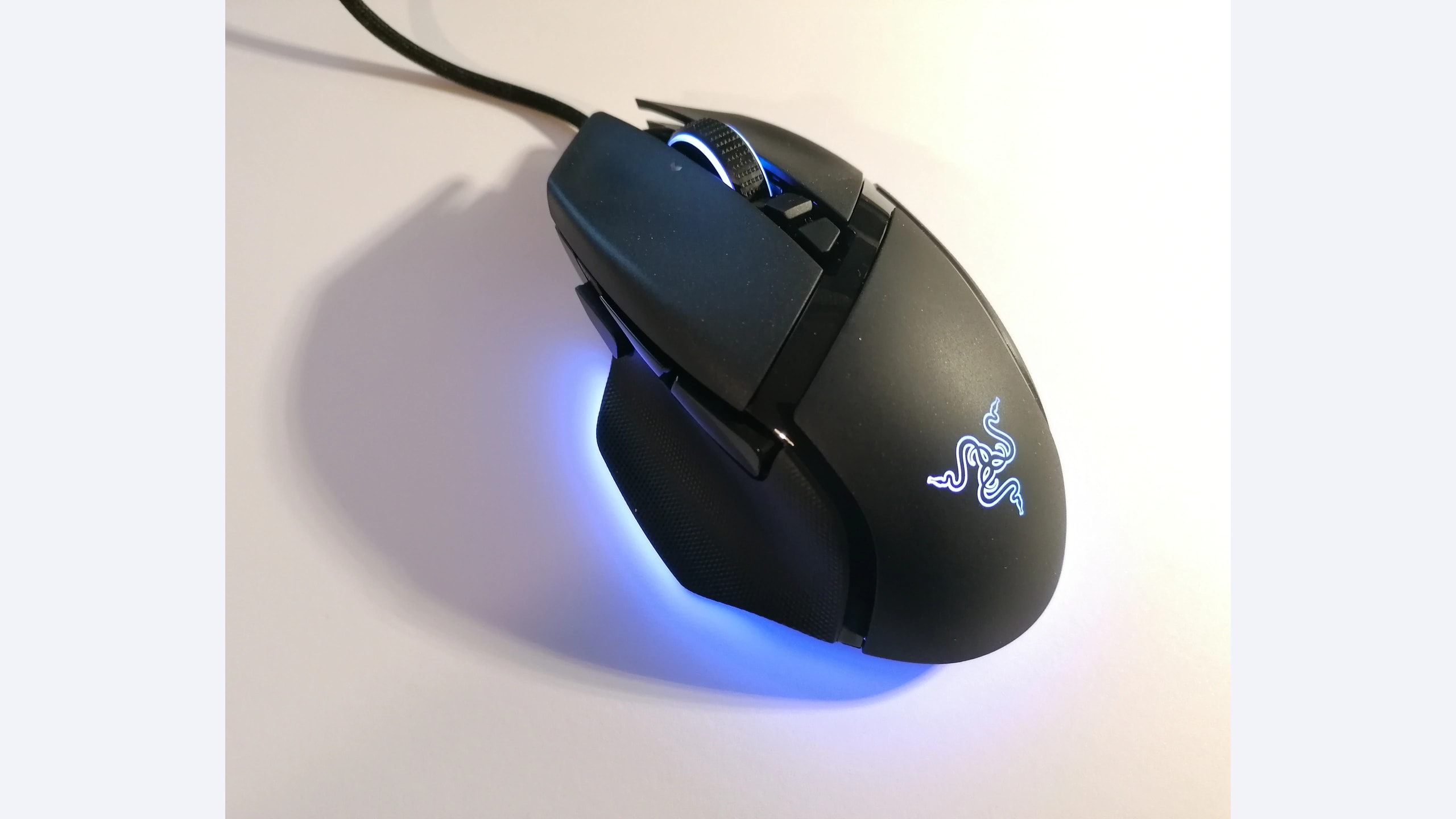
The original wired Basilisk V3 provides a thumb rest and Razer’s HyperScroll Tilt Wheel. Its official feature description distinguishes tactile scrolling, free-spin and Smart-Reel, which can switch modes according to scrolling speed when enabled through Synapse. The distinction matters: automatic switching is configurable behavior rather than a universal fixed feel. The original 26K model in this guide should not be confused with the later 35K version, the V3 Pro or the V3 X HyperSpeed.
In its Basilisk V3 review, RTINGS describes a well-built right-handed shape and very low click latency, while noting that smaller hands may struggle to reach the forward side button. The review also confirms the usefulness of wheel tilt and free scrolling for document navigation. These findings support its appeal as a multi-purpose mouse, but they do not establish that an automatic wheel mode will match every person’s scrolling habits.
Consider the Basilisk when switching between careful notched scrolling and long-page navigation is a frequent task. During setup, try the wheel modes separately before enabling automatic behavior. If an unexpected transition is distracting, the feature should be adjusted rather than accepted as the price of buying a gaming mouse. Also verify that your operating system supports the configuration features you plan to use; basic pointer movement and full software customization are different requirements.
SteelSeries Rival 5
SteelSeries positions the Rival 5 as a multi-genre wired mouse with nine programmable inputs and an advertised 85-gram weight in its product information. Its side layout includes conventional thumb buttons, a forward button and an up/down toggle. Those inputs give it a different personality from a wheel-focused productivity mouse. The important question is whether the toggle matches actions you already perform, such as two frequently used game commands, rather than whether the total count looks impressive.
RTINGS found the Rival 5 sturdy and responsive in its independent review, but identified its large shape as a problem for smaller hands. It also noted limited onboard settings and a wheel without tilt or free-spin. That is a meaningful trade-off for a work-and-play shortlist: additional thumb inputs do not replace horizontal scrolling or rapid document navigation. The older test-bench version also makes an exact numerical speed ranking against later retests inappropriate.
Choose it when you prefer its lower advertised mass and can comfortably use the side toggle. Be realistic about muscle memory: an unusual control can be excellent after adaptation, but only if it is reachable without accidental activation. Check what settings persist when moving to another computer, especially if software installation is restricted at work. A mouse that depends on a background application for a needed action may be less portable between machines than its cable suggests.
How to choose for your setup
Decide whether the wheel or the thumb cluster solves your actual problem. For wide spreadsheets and lengthy pages, the G502 and Basilisk offer wheel functions the Rival lacks. For game commands that naturally come in pairs, the Rival’s toggle may be more useful. Write down the three actions you repeat most often before considering a button count; otherwise, it is easy to pay for controls that remain unused.
Fit comes before bindings. Hold a candidate in your normal grip and reach the furthest side control without rolling the hand or squeezing harder. A successful fingertip press while consciously concentrating does not necessarily mean a button is easy to use during a demanding game. If a control is only occasionally reachable, assign a non-critical command or choose a shape that better matches your hand.
Cable routing deserves attention on a wired shortlist. Leave enough slack for the widest movement you make and check that the cable cannot catch behind a monitor stand. A lighter shell does not guarantee easier movement if the cable drags. Conversely, a heavier mouse may suit a deliberate high-sensitivity desk routine. These are personal setup decisions; we have not measured glide or cable resistance ourselves.
Plan for software restrictions and ownership. Confirm supported operating systems, onboard-profile behavior and whether workplace policy permits the vendor application. Compare exact-model local prices, return rights and seller warranty rather than historical launch prices. A missing weight case is less significant if you will never use it; a faulty wheel is central when scrolling is the reason for purchase. Test all relevant inputs immediately after delivery.
Which one should you choose?
The G502 HERO is the strongest fit for someone who explicitly wants weight tuning and versatile manual scrolling. The Basilisk V3 is attractive when its configurable wheel behavior and thumb-rest shape solve a mixed productivity-and-gaming need. The Rival 5 makes the clearest case when its side toggle is useful and wheel tilt or free-spin is unnecessary.
Our recommendation is conditional on fit and task, not an invented aggregate score. All three can supply more controls than a basic mouse, but the best purchase is the one whose important controls you can reach naturally and whose software works on the computer where it will be used.
Sources and exact versions
Manufacturer documents establish advertised features; RTINGS supplies the independently tested impressions discussed above. Consulted 22 October 2026. Linked reviews retain their own publication dates, updates and methodology notes.
- Logitech G502 HERO: official documentation; RTINGS hands-on review.
- Razer Basilisk V3: official documentation; RTINGS hands-on review.
- SteelSeries Rival 5: official documentation; RTINGS hands-on review.
Explore more mouse comparisons or read about GearTrio and our research approach.
Featured photograph: Razer Basilisk V3 only; the other two compared devices are not pictured. Original model; not a later similarly named revision. Photo: Chaddy, original source, CC BY-SA 4.0. Resized to fit a neutral 16:9 canvas without cropping the device; converted to WebP. The adapted image retains this license. This is a third-party photograph, not evidence of GearTrio testing.
