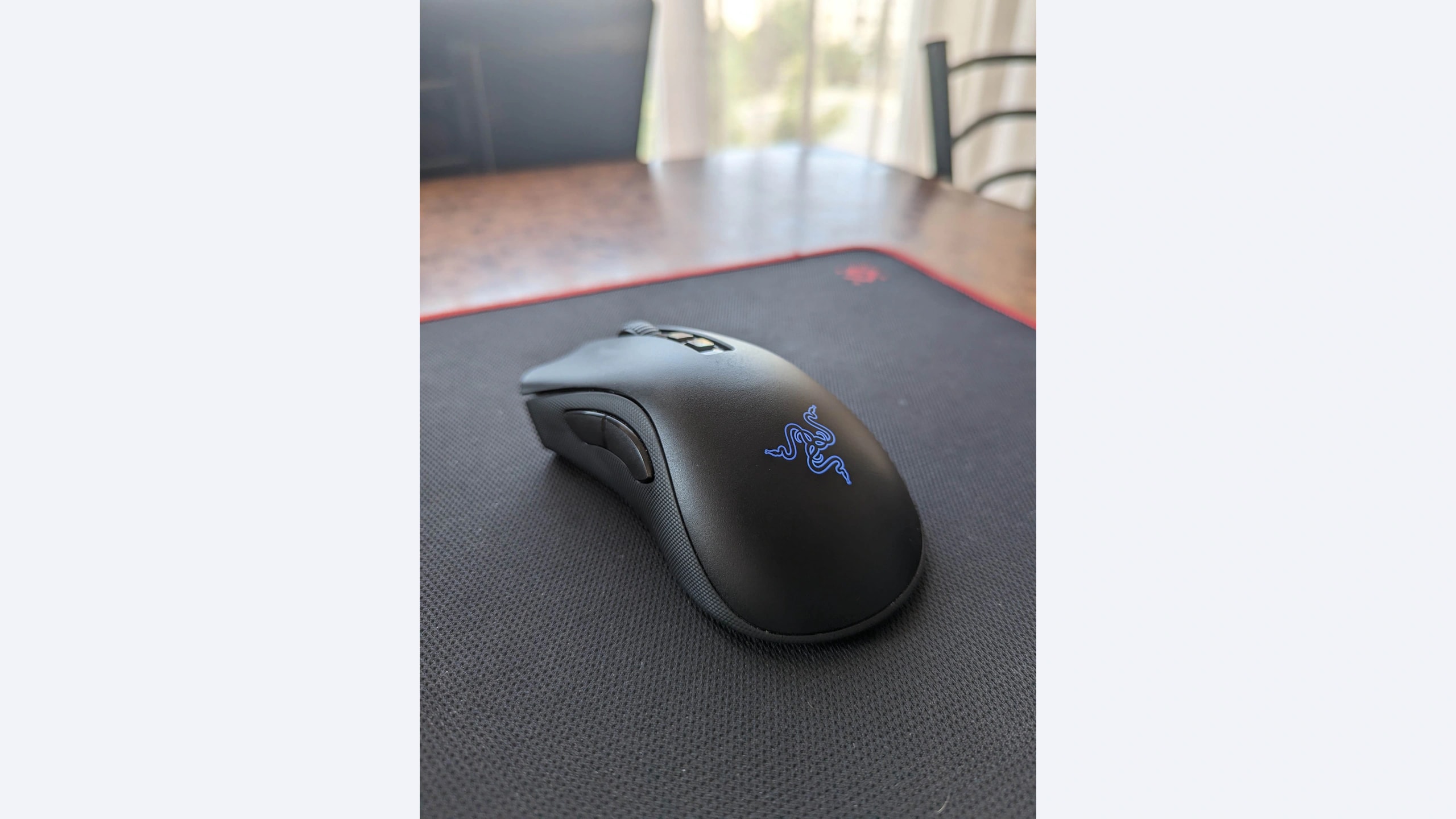
A larger right-handed wireless mouse can be appealing when compact designs leave too little palm support. Yet three mice described as ergonomic may place the hump, thumb and fingers differently. This comparison examines three established rechargeable gaming models for people who value hand support, receiver-based gaming and a clean desk. Bluetooth availability, charging arrangements and review-reported handling drawbacks also affect the choice. Ergonomic here describes the shaped design; it is not a medical claim or a promise that a device will prevent discomfort.
Scope: This guide compares the named established models, including legacy versions. It is not a ranking of the newest releases. Verify the exact revision and local availability before ordering.
How this comparison was researched: GearTrio has not hands-on tested these devices. We checked manufacturer documentation and independently published RTINGS tests on 22 October 2026. Test impressions belong to the linked reviewers; buying recommendations are our editorial interpretation. Older reviews and different test-bench versions do not establish a fresh head-to-head benchmark.
Three products at a glance
| Product | Connection / design | Main reason to consider it | Trade-off |
|---|---|---|---|
| Logitech G703 LIGHTSPEED (HERO) | Receiver or wired; HERO revision | Rounded supportive design and G HUB setup | No Bluetooth; basic scroll wheel |
| Razer DeathAdder V2 Pro | Receiver, Bluetooth or wired | Broad right-handed shape and optical switches | Older generation; bulky for smaller hands |
| Corsair SABRE RGB PRO WIRELESS | Receiver, Bluetooth or wired | Lighter broad shell with iCUE configuration | Reviewer flagged feet, cable and landing clicks |
Logitech G703 LIGHTSPEED (HERO)
The HERO revision of the G703 LIGHTSPEED offers a rechargeable, right-handed platform with USB receiver connectivity and wired use while charging. Logitech’s official model page identifies the specific HERO product. This matters because the older G703 name also appears in second-hand listings. The absence of Bluetooth is a practical boundary: this is a receiver-based desk mouse, even when its wireless shape seems suitable for a laptop. Its wheel is conventional rather than a document-oriented free-spin design.
In its HERO-version review, RTINGS praised the comfortable shape, build and click performance, while identifying the lack of receiver storage and advanced wheel functions. That makes it a credible candidate for someone who already favors a rounded rear support area. A reviewer’s comfort assessment still cannot guarantee a personal fit. It also does not tell us the remaining battery capacity of an individual older or used mouse offered for sale today.
Favor the G703 if a single gaming computer, a permanent receiver position and the existing Logitech configuration environment describe your setup. Check the charging connector, cable fit and every wheel input during the return period. If considering wireless charging accessories, confirm exact compatibility and their separate cost before treating them as part of the package. A good mouse at a poor bundle price can be less sensible than its standalone review suggests.
Razer DeathAdder V2 Pro
The DeathAdder V2 Pro in this comparison is model RZ01-03350. Razer’s support documentation identifies an 88-gram right-handed mouse with receiver, Bluetooth and wired connectivity. It uses optical main switches, but a switch technology label should not be expanded into a blanket reliability guarantee. This is an older generation; newer DeathAdder reviews describe different shells and electronics. They cannot be used as if they were fresh tests of the V2 Pro.
RTINGS described smooth feet, a light body and comfortable support for medium-to-large hands in its V2 Pro test. The same source cautioned about bulk and Mac configuration limitations, and noted the lack of wheel tilt or infinite scrolling. Those are relevant compromises for someone replacing an office mouse: a supportive gaming shape does not automatically provide the navigation features of a productivity model. Bluetooth is useful for switching computers, not proof of full software parity between them.
Our recommendation is to consider this model when its broad shape fits and an exact-version offer justifies choosing an older rechargeable design. Verify the included receiver and charging cable, and treat an optional charging dock as optional unless the listing explicitly includes it. On used stock, inspect rubber side surfaces and ask about battery condition. General positive reviews cannot establish the state of those wear items on a particular example.
Corsair SABRE RGB PRO WIRELESS
The SABRE RGB PRO WIRELESS is the original Champion Series model, distinct from the wired SABRE RGB PRO and later SABRE v2 products. Corsair’s official page lists receiver and Bluetooth operation, a 26,000-DPI sensor and iCUE customization. Its descriptive copy gives 79 grams while the specifications table lists 80 grams, so treat that as an approximate advertised weight rather than false precision. The current table lists selectable polling up to 1,000 Hz; we do not repeat an obsolete higher claim.
RTINGS praised the light right-handed design and click responsiveness in its wireless SABRE review. It also reported less-smooth feet than some competitors, a stiff charging cable and possible unintended clicks when the mouse was set down after repositioning. These are sample-level findings, not a quantified defect rate. They are nevertheless more useful to a low-sensitivity player who lifts the mouse frequently than a generic claim that every quick-switch design is automatically better.
Choose it if the wider shape suits you, Bluetooth is useful and its handling checks out during a normal return-period evaluation. In particular, reproduce your ordinary lift-and-reposition movement and confirm that it does not trigger unwanted actions on your unit. Avoid interpreting the name or an old launch specification as evidence of the latest wireless technology. The exact version and current support documentation should determine expectations, especially when buying remaining stock.
How to choose for your setup
Start with where the shell supports your hand. A higher rear hump can feel secure to one person and restrictive to another; width near the ring finger may matter more than maximum body width. Compare with a mouse you already know, and use a return option to judge fit. If a device causes discomfort, change the setup or seek appropriate advice rather than assuming an ergonomic label guarantees suitability.
Separate gaming connectivity from secondary-device convenience. All three offer a receiver-based path, while only the Razer and Corsair add Bluetooth. Decide whether switching to a work laptop is genuinely useful. Also count ports and adapters. A wireless mouse still needs somewhere to place a receiver and a way to charge, and cable placement matters when you must keep using it during a charging session.
Evaluate movement style alongside mass. Someone who frequently lifts and resets a mouse should pay particular attention to the SABRE review’s landing-click observation. Someone working mostly within a small area may care more about wheel behavior. None of these wheels replaces a dedicated productivity design with tilt and free scrolling. We do not create a synthetic glide ranking from reviews conducted with different surfaces or procedures.
For older rechargeable models, condition can dominate small specification differences. Confirm the precise revision, receiver inclusion, charging operation, return period and local warranty coverage. Compare the complete available offer rather than historical retail prices. Battery ageing is a reason to inspect the actual item, not grounds to invent a remaining-life estimate. No current cross-region price or battery-endurance winner is asserted here.
Which one should you choose?
Choose the G703 HERO when its rounded support and straightforward receiver setup match a single-computer desk. Choose the DeathAdder V2 Pro when its broad shape and Bluetooth flexibility are useful. Choose the original SABRE RGB PRO WIRELESS when its lighter approach appeals and its feet, charging cable and repositioning behavior are acceptable to you.
The evidence supports three different ownership choices, not a universal ergonomic winner. Exact-model identification and a real fit check matter more than treating the newest sensor number or an old review score as a guarantee of comfort. Our conclusions interpret the linked tests; GearTrio did not perform a new comparative test.
Sources and exact versions
Manufacturer documents establish advertised features; RTINGS supplies the independently tested impressions discussed above. Consulted 22 October 2026. Linked reviews retain their own publication dates, updates and methodology notes.
- Logitech G703 LIGHTSPEED (HERO): official documentation; RTINGS hands-on review.
- Razer DeathAdder V2 Pro: official documentation; RTINGS hands-on review.
- Corsair SABRE RGB PRO WIRELESS: official documentation; RTINGS hands-on review.
Explore more mouse comparisons or read about GearTrio and our research approach.
Featured photograph: Razer DeathAdder V2 Pro only; the other two compared devices are not pictured. Original model; not a later similarly named revision. Photo: FingerWiki, original source, CC BY-SA 4.0. Resized to fit a neutral 16:9 canvas without cropping the device; converted to WebP. The adapted image retains this license. This is a third-party photograph, not evidence of GearTrio testing.
