A full-size mechanical keyboard still makes sense when the number pad is part of everyday work. The question is whether the rest of the board should emphasize customization, a conventional gaming setup, or dedicated media and connection controls. These three established models offer different approaches without removing the familiar number-pad layout. This guide covers the original wired Keychron Q6, the Logitech G513 family with explicit switch caveats, and the standard-height Corsair K70 RGB MK.2. None should inherit features from a newer product merely because part of its name is shared.
Scope: This guide compares the named established models, including legacy versions. It is not a ranking of the newest releases. Verify the exact revision and local availability before ordering.
How this comparison was researched: GearTrio has not hands-on tested these devices. We checked manufacturer documentation and independently published RTINGS tests on 22 October 2026. Test impressions belong to the linked reviewers; buying recommendations are our editorial interpretation. Older reviews and different test-bench versions do not establish a fresh head-to-head benchmark.
Three products at a glance
| Product | Connection / design | Main reason to consider it | Trade-off |
|---|---|---|---|
| Keychron Q6 | Original wired Q6; full aluminum case | Switch replacement and QMK/VIA customization | Heavy, tall; barebones packages need extra parts |
| Logitech G513 | Wired G513; verify Romer-G versus GX | Conventional full-size gaming design and wrist rest | Review switch differs from many current listings |
| Corsair K70 RGB MK.2 | Wired standard-height MK.2; MX Brown here | Media controls, volume roller and USB pass-through | Large footprint; not a hot-swap custom board |
Keychron Q6
The original Q6 is a full-size wired keyboard built around an aluminum case, a gasket-mounted design and a hot-swappable PCB. Keychron’s Q6 documentation distinguishes assembled and barebones options and describes QMK/VIA customization. A barebones price is not the complete cost of a working keyboard because switches and keycaps must be supplied separately. The original model also must not be confused with the wireless Q6 Pro or Max, or later HE and Ultra versions with different electronics.
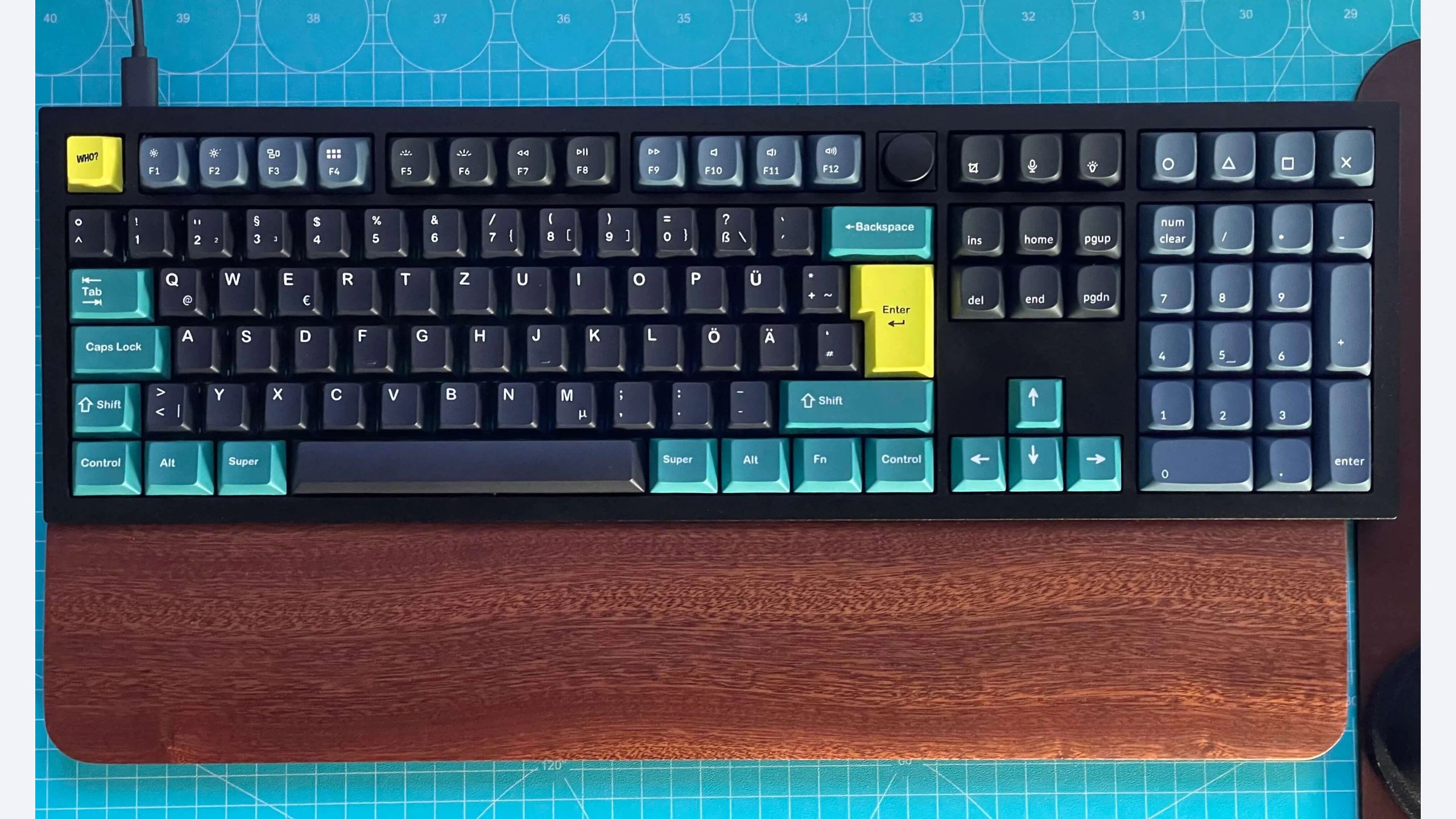
In its Q6 hands-on review, RTINGS praised the materials, construction and customization, while noting the tall, heavy design. Its tested Gateron G Pro Red switches had longer pre-travel than some gaming-focused alternatives. That does not establish how every switch installed in a hot-swap Q6 will feel. Nor does the featured photograph, which shows custom keycaps, establish the sound or feel of an original retail configuration. It illustrates an actual Q6 rather than the contents of every stock package.
Choose the Q6 when you want to keep a full layout and deliberately modify switches, keycaps or key assignments over time. Account for the practical work involved: verify compatible parts, keep track of the correct firmware and follow the manufacturer’s procedures. If your goal is simply to unpack a familiar gaming board and leave it unchanged, the customization potential may not justify the extra cost or weight. A fixed desk is a more natural setting than frequent travel.
Logitech G513
The G513 is a conventional wired full-size gaming keyboard with RGB lighting and a supplied palm rest. Logitech’s product information should be read alongside the exact switch label on the unit being offered. Older G513 versions used Romer-G switches, while many listings describe GX variants. Those switch systems are not interchangeable simply because the keyboard name is the same. Replacement keycap availability and typing expectations depend on which version you actually buy.
RTINGS tested Romer-G Tactile switches in its G513 review. It found the frame sturdy and the tested typing experience light, while criticizing the ABS caps and noting that macro assignment is limited to function keys. Those findings provide useful context for the tested configuration. We do not present its tactile feel or sound as a test result for GX Brown, Blue or Red units. A retailer combining several switch options on one page makes this distinction especially important.
Consider the G513 when the supplied wrist support, familiar layout and Logitech software environment meet your needs without a customization project. Check which controls can be remapped and whether that is sufficient for the shortcuts you use. On older stock, inspect keycap wear and confirm that the palm rest is included. If buying a Romer-G version specifically, verify the exact replacement parts you might need instead of assuming a common MX-style keycap kit will fit.
Corsair K70 RGB MK.2
The standard-height K70 RGB MK.2 adds dedicated media controls, a volume roller, onboard profiles and USB pass-through to a full-size mechanical layout. The MX Brown product page identifies the variant used for this comparison. Low-profile and RAPIDFIRE versions are separate configurations. The USB pass-through feature also has a physical setup requirement: its additional USB connector needs an appropriate computer port. It should not be treated as a free expansion feature with no cabling consequences.
RTINGS tested Cherry MX Brown switches in its MK.2 review. It praised typing quality and the broad feature set, but observed sharp-feeling top-plate edges and a wobbly spacebar on its sample. Those are useful inspection points rather than proof of a universal manufacturing fault. The review does not establish the noise or feel of every other switch offered in this family. Choosing the right switch remains separate from choosing the chassis and controls.
Favor the MK.2 when dedicated playback controls and a physical volume roller have immediate everyday value. Check desk depth, cable routing and available USB ports before choosing it for a small workspace. It is not a general-purpose hot-swap custom board, so select the switch version you want at purchase rather than budgeting for an easy later change. Inspect the supplied wrist rest and all media controls while returns are straightforward, especially for remaining or open-box stock.
How to choose for your setup
Start with whether the number pad earns its space. If it is used for figures, shortcuts or data entry every day, retaining it may be worthwhile. Measure the keyboard area together with the mouse area instead of considering width in isolation. A full-size board can push a mouse farther out on a narrow desk. Changing that arrangement may improve the setup more than buying a different switch within the same large layout.
Then separate customization from ready-made convenience. The Q6 provides a path to replacing compatible switches and changing firmware-level assignments. That flexibility is useful when you want to experiment, but it creates additional decisions and possible costs. The G513 and MK.2 are more straightforward fixed-switch purchases. They should be judged by the supplied switch and controls, not assumed to offer the same modification route as the Keychron.
Read independent typing impressions at the switch level. RTINGS used G Pro Red on the Q6, Romer-G Tactile on the G513 and MX Brown on the MK.2. This is not an apples-to-apples switch test, and we do not rank sound or operating force across the three as if all other variables were controlled. Choose a preferred switch behavior first, then verify that the actual unit matches the variant supporting your expectation.
Check the complete offer and regional support. A barebones Q6, a G513 without its palm rest and a complete MK.2 are not equivalent packages even if prices happen to match. Confirm included parts, layout, cable requirements, seller returns and applicable local warranty. These are established designs with varying availability; no universal current price winner is asserted. Avoid using a launch price or an unrelated regional promotion as a substitute for a verified local total.
Which one should you choose?
Choose the original Q6 for a stationary full-size setup you intend to customize. Choose the G513 when its supplied support and conventional gaming design fit your routine, after verifying the exact switch generation. Choose the standard-height K70 RGB MK.2 when the media controls, roller and pass-through are features you will actually use.
Our preference depends on ownership style rather than an invented overall rating. The most defensible purchase is a correctly identified package with suitable switches, enough desk space and useful controls. The linked tests supply attributed experience; the final comparison and recommendations are GearTrio’s original research-based interpretation.
Sources and exact versions
Manufacturer documents establish advertised features; RTINGS supplies the independently tested impressions discussed above. Consulted 22 October 2026. Linked reviews retain their own publication dates, updates and methodology notes.
- Keychron Q6: official documentation; RTINGS hands-on review.
- Logitech G513: official documentation; RTINGS hands-on review.
- Corsair K70 RGB MK.2: official documentation; RTINGS hands-on review.
Explore more keyboard comparisons or read about GearTrio and our research approach.
Featured photograph: Keychron Q6 only; the other two compared devices are not pictured. Custom keycaps installed; not the stock Q6 keycap set. Photo: Chris Heil, original source, CC0. Resized to fit a neutral 16:9 canvas without cropping the device; converted to WebP. The adapted image retains this license. This is a third-party photograph, not evidence of GearTrio testing.
.jpg?utm_source=geartrio.com&utm_medium=referral&utm_campaign=keychron-q6-vs-logitech-g513-vs-corsair-k70-rgb-mk2)