A full action bar is easy to see and surprisingly hard to reach. If your left hand already handles movement, modifiers and targeting, moving selected commands to your mouse thumb can make a control scheme more manageable. The difficult part is choosing a grid you can navigate without loosening your grip. Twelve buttons are useful only when the right one is easy to find.
This comparison considers three established wired designs: the Logitech G600 MMO Gaming Mouse, Razer Naga Chroma and Corsair SCIMITAR RGB ELITE. Their important differences are physical. Logitech adds a ring-finger modifier, Razer combines a fixed thumb grid with a tilt wheel, and Corsair lets you slide the button bank. These are older generations, including legacy models; this is a guide to their designs and tradeoffs, not a claim that all three remain readily available new. Prices and local stock were not verified on October 24, 2026.
Research disclosure: GearTrio Editorial has not hands-on tested these devices. This is original desk-research synthesis of manufacturer documentation and the independently published hands-on reviews linked beside the relevant claims. Manufacturer specifications, attributed reviewer observations and our conditional editorial recommendations are separated. We do not combine different test methods into a numerical ranking.
What an MMO mouse changes
A conventional side-button pair is usually mapped by position: front means one action, rear means another. A twelve-button bank asks you to learn rows and columns. That can work well for abilities, inventory commands or repetitive application shortcuts, but it also introduces a learning period. Start with a few clearly separated actions rather than filling every position immediately. Reserve commands with serious consequences for locations you can identify reliably.
All three mice here use a USB cable. There is no wireless receiver to pair or battery to recharge, but the cable still needs a clear path across the desk. Their broad bodies and many controls also deserve more attention than the maximum sensor resolution. A higher DPI ceiling does not tell you whether your thumb reaches the rear column comfortably.
| Product | Manufacturer | Documented design / practical fit |
|---|---|---|
| Logitech G600 MMO Gaming Mouse | Logitech | Wired; fixed 12-button grid; G-Shift ring-finger modifier; tilt wheel |
| Razer Naga Chroma | Razer | Wired original RZ01-01610; fixed 12-button grid; tilt wheel; legacy software |
| Corsair SCIMITAR RGB ELITE | Corsair | Wired RGB ELITE; sliding 12-button bank; no wheel tilt; tool required for adjustment |
Logitech G600 MMO Gaming Mouse
The defining feature is the extra top button beneath the ring finger. Combined with G-Shift, it provides a modifier for another set of assignments. Logitech’s G600 technical specifications identify the original wired laser-sensor model, its tilt-capable wheel and a body measuring 118 × 75 × 41 mm. The listed 133 g weight does not clearly define cable inclusion, so it should not be treated as a directly comparable laboratory weight.
RTINGS’ hands-on G600 review found a solidly built mouse with extensive programmable inputs, but highlighted its large, heavy shape and stiff cable. The reviewer also cautioned that fingertip users could unintentionally activate the ring-finger button. That is a more consequential limitation than the number of actions available in software.
Our editorial recommendation is to consider the G600 when you specifically want a modifier under a different finger and can maintain a relaxed grip around its width. Try holding the modifier while pressing several thumb positions; the combination should not require squeezing the shell. If you dislike operating an extra top button, its main distinction may become an obstacle. Logitech’s release-era support list names older software and operating systems, so confirm configuration support for your current computer before committing to an older unit.
Razer Naga Chroma
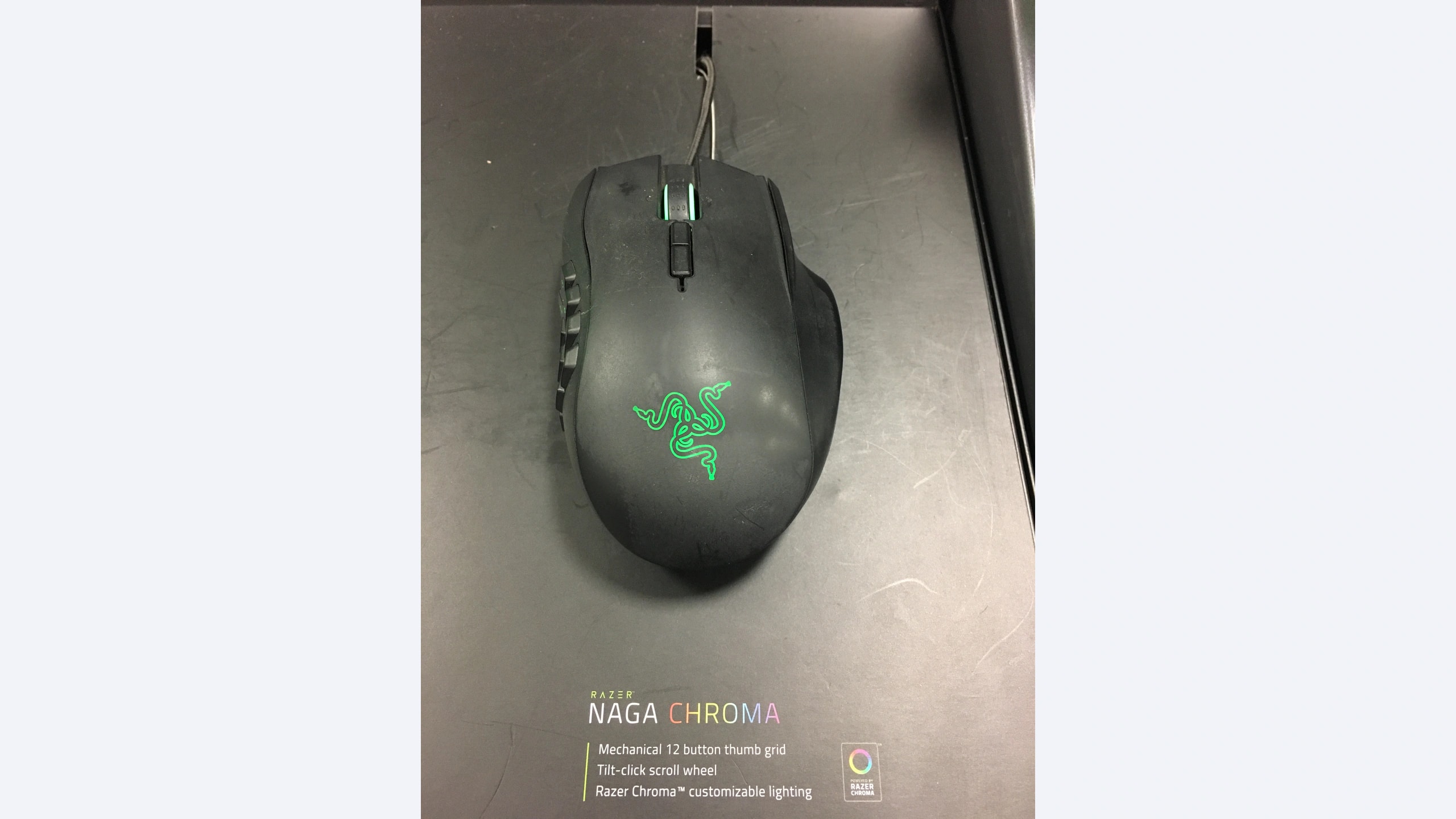
This is the original wired Naga Chroma, model RZ01-01610, with a 5G laser sensor. It is not the wireless Epic Chroma or a later modular Naga. Its fixed twelve-button thumb bank and tilt-click wheel offer a familiar grid-based approach without Logitech’s separate ring-finger modifier. Consult Razer’s model-specific support page and the matching guide when checking software; newer Naga capabilities cannot be assumed to apply.
In his KitGuru hands-on review, Jon Martindale found the hand support and accessible controls useful for slower games, while reporting occasional wrong side-button presses during frantic moments. He also noted a noisy wheel and some chassis creaking under pressure. Those observations concern his sample and do not establish a failure rate or a prediction of long-term durability.
We would choose this design for a player who already understands a fixed grid and values wheel-tilt assignments. Learn the corner buttons first, then introduce neighboring commands once the positions feel distinct. Its age makes software verification particularly important: the review describes the Synapse environment of 2016, not proof of complete compatibility with a current operating system. Do not buy an old unit on the assumption that every advertised profile feature will transfer between computers without the original software.
Corsair SCIMITAR RGB ELITE
Corsair approaches reach by making the entire side bank adjustable. Its official SCIMITAR RGB ELITE information specifies seventeen programmable buttons, three onboard profiles and a nominal 122 g weight without the cable or accessories. The twelve side buttons move together on a slider. This is the wired RGB ELITE generation, not the similarly named wireless or SE models; confirm the label rather than relying on a listing photograph.
RTINGS’ original review praised the sturdy construction and adjustable panel, but identified substantial mass and a fairly stiff cable as drawbacks. It also confirmed that the wheel lacks tilt inputs and an unlocked free-scrolling mode. The adjustment therefore improves thumb placement while leaving a different wheel-control compromise from the other two.
Our preference would be the Corsair when your main concern is that a fixed grid sits too far forward or backward. Position the bank while your hand rests naturally, then check its front and rear columns without sliding your palm. Adjustment is useful only if it solves your particular reach problem. Keep the slider tool with the mouse, and verify that the mechanism locks securely on a used example. If wheel tilt is central to your existing bindings, account for those lost inputs before moving everything to the side bank.
Choose the control layout before the specification sheet
Write down the commands you actually want to move. A player with four frequently used abilities and two utility commands has a different problem from someone who wants a full second action bar. Put the most frequent actions in the easiest thumb positions. Keep emergency actions separated from neighboring commands until you know whether you can distinguish the buttons consistently.
The G600 makes sense when a second layer is valuable and holding its modifier feels natural. The Naga Chroma is more straightforward if you want a fixed grid plus wheel tilt. The SCIMITAR RGB ELITE is the candidate when the grid’s physical location is the unresolved issue. These are editorial choices based on the documented layouts, not a GearTrio speed ranking.
Check the software on the exact operating system you will use. Basic pointer movement, button remapping, application detection and stored macros are separate capabilities. A device can work as a mouse while its original configuration utility no longer meets your needs. On a managed work computer, installation restrictions may matter more than a long list of programmable inputs.
For older or used hardware, inspect every grid button, the wheel’s middle and tilt clicks where present, cable strain relief and the underside feet. Ask whether the seller includes the adjustment tool where required. A historical manufacturer warranty is not automatically fresh coverage for a second-hand purchase. Corsair lists a two-year warranty for the model; actual eligibility still depends on the purchase and regional terms. Verify coverage for any legacy listing directly.
Which one fits your action bar?
Choose the G600 if its ring-finger modifier solves a real binding problem and its width suits your hand. Choose the Naga Chroma if you prefer a fixed grid with additional tilt-wheel commands and have confirmed suitable software. Choose the SCIMITAR RGB ELITE if moving the thumb bank is the practical difference you need and you can accept its wheel and cable limitations. None is automatically better because it exposes more commands.
If you need only a few extra controls, our existing G502 HERO, Basilisk V3 and Rival 5 comparison considers less densely packed alternatives. Your next step should be checking reach and software, then comparing an actual seller’s condition, return policy and coverage.
Featured photograph: Only Razer Naga Chroma is pictured; the other two compared models are not shown. Original Naga Chroma exhibition sample, photographed in December 2016 with a fixed thumb grid and cable attached; the display sign is not a supplied accessory. Photo: Fastily, via Wikimedia Commons original source; CC BY-SA 4.0. Resized with neutral padding where needed to a 16:9 canvas and encoded as WebP; embedded metadata removed. No additional device cropping, retouching, generated detail or upscaling. This adaptation remains under CC BY-SA 4.0. No photographer endorsement is implied.
