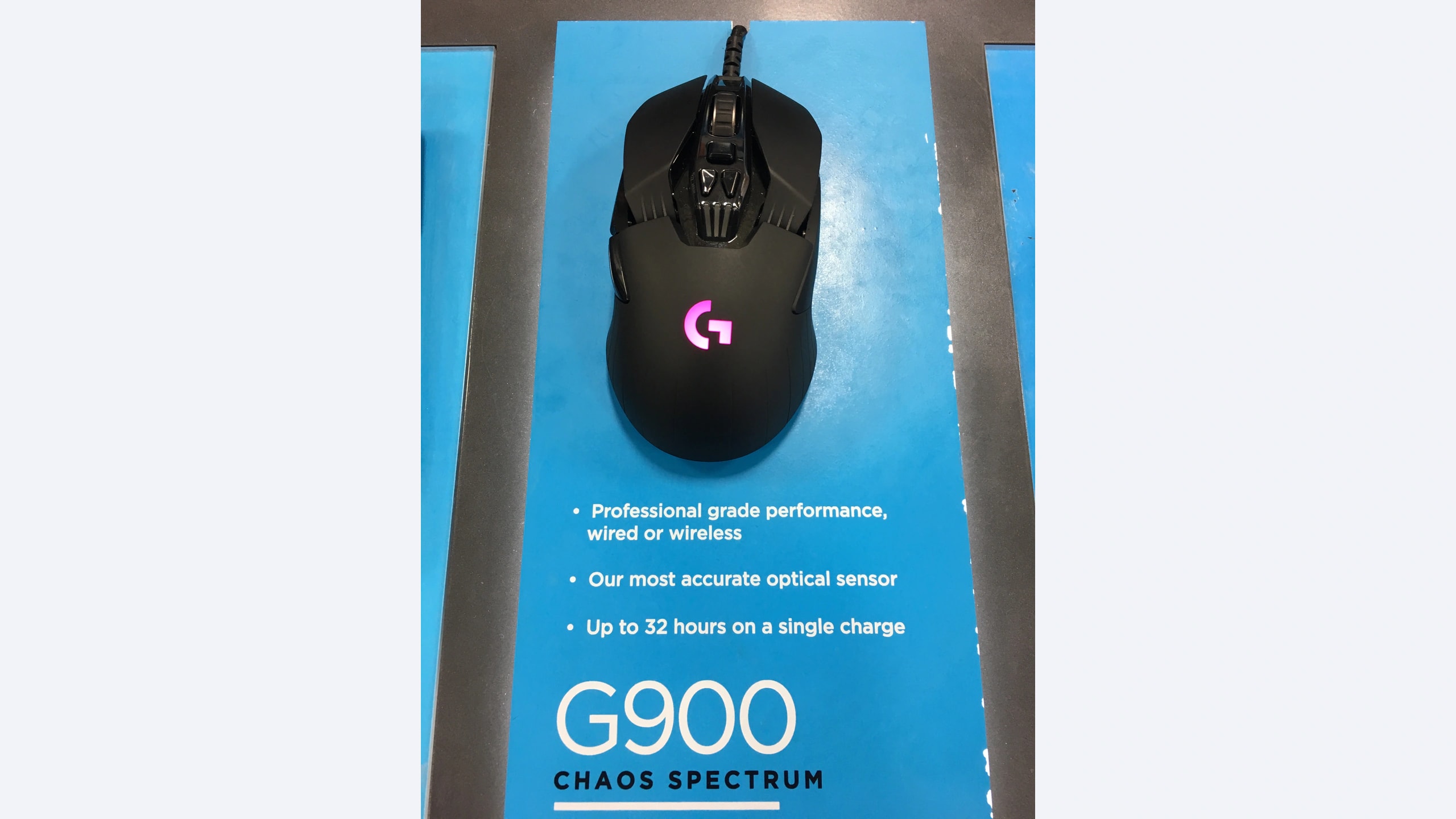
A symmetrical mouse is not automatically useful for left-handed gaming. If its only thumb buttons sit on the left, moving it to your left hand leaves those controls under the wrong fingers. The Logitech G900 Chaos Spectrum, Razer Viper Ultimate and SteelSeries Sensei Ten are interesting established alternatives because their controls extend to both sides. The decision is about usable button placement, shell fit and the compromises of older hardware, rather than the newest sensor headline.
We researched these exact models on October 23, 2026. They are legacy designs, not a claim about current retail availability. The G900 is the original model rather than a G903 revision; the Viper is the Ultimate; the Sensei is the wired Ten. A similar family name does not preserve the same controls.
Research disclosure: GearTrio Editorial has not hands-on tested these devices. This is original desk-research synthesis of manufacturer specifications and the independently published RTINGS tests linked beside the relevant claims. Manufacturer claims, reviewer findings and our conditional editorial recommendations are identified separately.
What genuinely bilateral controls change
For a left-handed user, right-side buttons can become ordinary thumb controls for reload, navigation or push-to-talk. Buttons on the opposite side may be less useful or may need disabling to avoid accidental presses. That makes both physical layout and software configuration important. Before committing to a purchase, identify which two commands need dependable thumb access and whether the remaining buttons can stay unobtrusive.
There is also a practical choice between maintaining an older rechargeable mouse and accepting a cable. A working wireless connection does not establish the health of a used battery. Conversely, a wired design avoids charging but introduces cable placement and desk-clearance concerns. These tradeoffs remain relevant even when all three can perform ordinary gaming tasks.
| Product | Manufacturer | Declared features / practical fit |
|---|---|---|
| Logitech G900 Chaos Spectrum | Logitech | Configurable bilateral side pieces; receiver/wired; tilt and free-spin wheel |
| Razer Viper Ultimate | Razer | Two buttons on each side; receiver/wired; low shell; dock bundle varies |
| SteelSeries Sensei Ten | SteelSeries | Bilateral side controls; wired USB-A; no battery; stiff cable reported |
Logitech G900 Chaos Spectrum
Logitech’s G900 technical sheet identifies the PMW3366 sensor, wired USB and 2.4 GHz operation, five hardware profiles and a wheel with tilt and free-spinning modes. It lists dimensions of 130 × 67 × 40 mm and a mouse-only mass of 110 g. This is the support document’s figure; do not silently combine it with a different marketing or reviewer weighing configuration.
RTINGS’ G900 test describes removable side controls that let users configure either side, low click latency and a solid body. It also reports sensor CPI overshoot during faster movements on its test unit. That is a material limitation to retain, while recognizing that one sample is not a measured failure rate for every G900.
Our strongest reason to consider it is physical configurability. Blanking the unwanted side can be more useful than leaving protruding controls under your ring finger. A used listing should therefore include the relevant button pieces and covers, receiver and suitable Micro-USB cable. Missing pieces weaken the feature that makes this model distinctive. Its wheel can also serve office tasks between games. The cost is a heavier, older design whose battery condition cannot be inferred from the original runtime claim. Confirm that your current operating system can configure and retain the bindings you need before relying on release-era software compatibility.
Razer Viper Ultimate
Razer’s RZ01-03050 support information specifies a true ambidextrous layout with eight programmable buttons, a 20,000-DPI Focus+ sensor and a 74 g mass excluding cable. The declared body measures 126.7 × 66.2 × 37.8 mm. It operates over its dedicated receiver or a wired connection and uses Micro-USB for charging and wired use.
RTINGS’ Viper Ultimate review found low wired and wireless click latency and good tracking, but warns that larger hands can find palm or claw fit less suitable. That is a useful counterweight to broad claims about universal ambidextrous comfort. A low shell can be attractive for fingertip control while leaving a palm-grip user wanting more support.
The editorial attraction here is a comparatively light established wireless design with two controls on each side. Check that those on the right land naturally under your left thumb, and test whether you accidentally press the opposite pair. Software configuration and basic pointing compatibility are separate questions, particularly on a Mac. The review used a dock-equipped package; other offers may omit the dock, and the USB receiver is a separate component. Verify both rather than assuming a charging stand alone provides the wireless connection. The manufacturer’s lights-off runtime is not a statement about the remaining capacity of an older battery. We would prioritize completeness and fit over an apparently cheap incomplete bundle.
SteelSeries Sensei Ten
SteelSeries specifies a wired ambidextrous body, eight physical buttons, a TrueMove Pro sensor and a 2 m cable. Declared mass is 92 g without the cable, with an approximately 126 × 68 × 39 mm body at its widest and highest points. Scroll directions can add programmable inputs, so input counts should not be mistaken for extra physical buttons.
RTINGS’ Sensei Ten test praises bilateral controls and sensor performance while noting a slippery surface and a stiff cable. Those are relevant handling drawbacks: removing battery maintenance does not remove all resistance or grip compromises. The review also identifies limitations for some smaller-hand fingertip users.
This is our simplest shortlist choice when a cable is acceptable and you want controls on both sides without evaluating a rechargeable battery. Route the lead so it does not snag on a monitor stand or rub against the desk edge. A cable support can help manage the path, but it is an optional extra rather than a reason to ignore the reported stiffness. Try a normal grip before assuming you need aftermarket tape. The Sensei’s wheel does not provide the G900’s tilt or free-spin options, which matters if it will also navigate large documents. Verify current configuration-software support for your operating system instead of treating an older Engine version listed at launch as a current support promise.
A practical check for left-handed use
Map commands before judging button count. Put essential actions on the two thumb-accessible controls and decide whether the far-side pair should be disabled. Test normal lifting, quick repositioning and a relaxed grip. A configuration that works while the mouse sits motionless can still cause unwanted clicks when you pick it up. Record which profiles are stored on the device and which depend on software running.
Evaluate used wireless hardware as a complete system. Ask which receiver, cable, covers and charging accessories are supplied. Inspect for an unreliable connector and confirm basic charging and receiver operation during the seller’s return period. Original battery-life claims describe new hardware under stated conditions; they do not authenticate an older unit’s battery health. Do not turn a seller’s anecdote into a reliability guarantee.
Keep the performance evidence in proportion. The cited reviews use different test-bench generations. We retain their qualitative observations without arranging isolated numbers into a falsely precise latency table. The G900 sample’s CPI behavior is specifically attributed, rather than generalized to unrelated G903 versions or dismissed because the product has a familiar brand.
Account for work between games. Wheel behavior, software permissions and cable routing remain relevant after the game closes. A left-handed workstation may also need the operating system’s primary-button setting changed. Check each application you rely on, especially if a managed computer blocks vendor software. Shape and reachable controls are the starting point, not the entire compatibility check.
Which compromise makes sense?
Consider the Logitech G900 Chaos Spectrum when removable side pieces and its versatile wheel justify older battery and accessory checks. Choose the Razer Viper Ultimate when its lower shell and bilateral controls fit your left hand and the bundle is complete. Prefer the SteelSeries Sensei Ten when avoiding charging matters more than avoiding a cable. These are conditional options for a specific access need, not a recommendation to buy any legacy listing regardless of condition. For the separate question of right-handed wheel and command layouts, our multi-control wired comparison provides useful context.
Featured photograph: Only Logitech G900 Chaos Spectrum is pictured; the other two compared models are not shown. Black G900 exhibition sample on a display panel; cable attached. Photo: Fastily, via Wikimedia Commons original source, CC BY-SA 4.0. Resized and encoded as WebP; neutral padding to 16:9 where needed; embedded metadata removed. No device retouching or upscaling. This adaptation remains under CC BY-SA 4.0. No photographer endorsement is implied.
