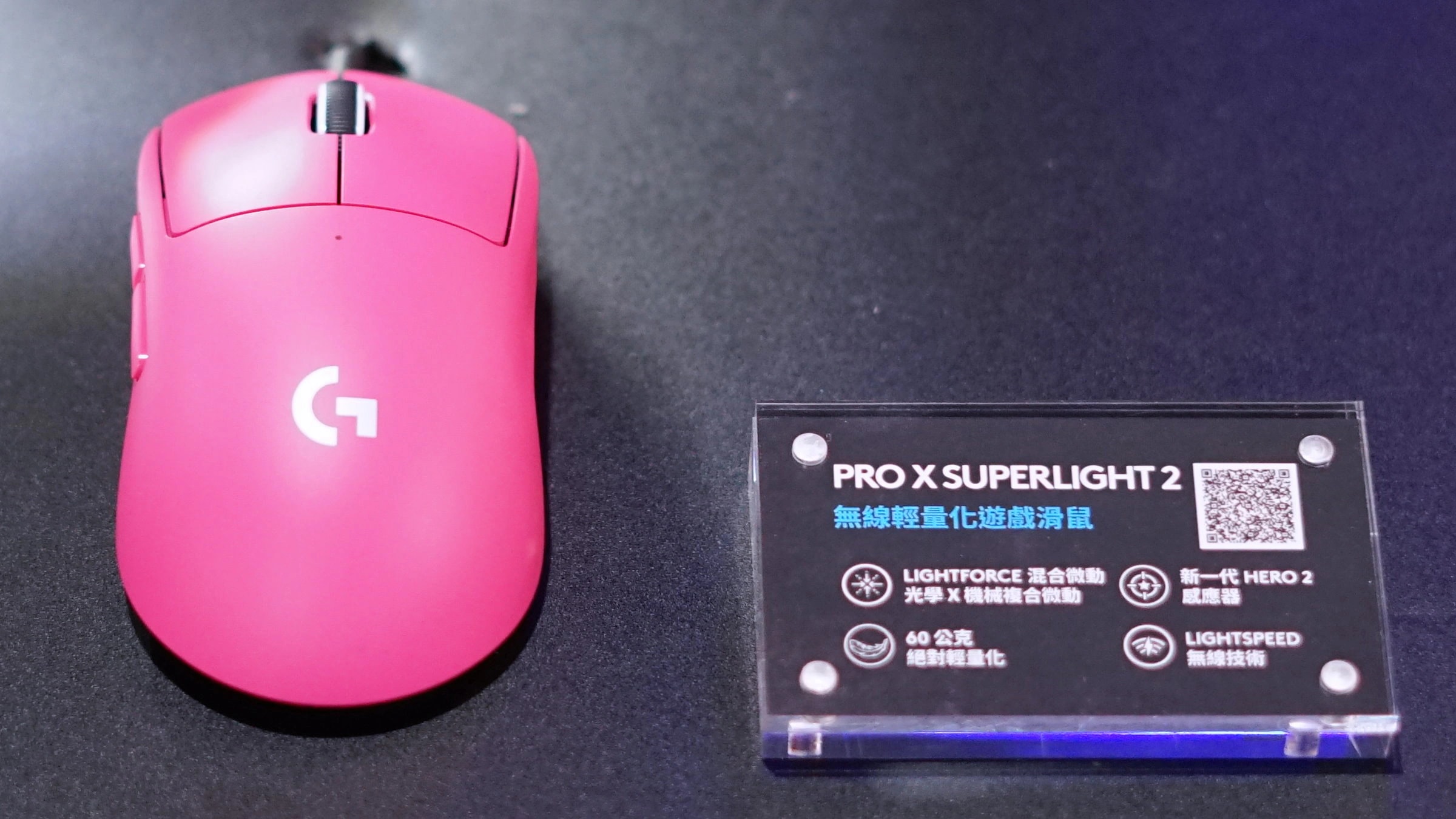
A lightweight wireless mouse can remove cable drag without solving the more important problem: whether its shape lets you aim comfortably. The Logitech G PRO X SUPERLIGHT 2, Razer Viper V3 Pro and SteelSeries Aerox 3 Wireless (2022) approach that problem differently. Two emphasize a closed shell and competitive play; the third adds Bluetooth and a perforated body. Your grip, computer setup and tolerance for charging matter more than selecting the largest number on a sensor specification.
This comparison concerns these exact established generations, checked on October 23, 2026. It is not a survey of the newest releases. In particular, the Aerox is the 2022 edition rather than Gen 2. We have not verified a current local selling price or stock position, so there is no invented price-based winner.
Research disclosure: GearTrio Editorial has not hands-on tested these devices. This is original desk-research synthesis of manufacturer specifications and the independently published RTINGS tests linked beside the relevant claims. Manufacturer claims, reviewer findings and our conditional editorial recommendations are identified separately.
What this comparison is designed to answer
Start with how you use the mouse. A player who keeps one receiver attached to a gaming PC has different needs from someone who switches between that PC and a work laptop. Likewise, a palm grip that needs support across the back of the hand can favor a different shell from a fingertip grip that leaves the palm floating. A few grams on a specification sheet cannot describe those contact points.
The table summarizes manufacturer specifications and practical distinctions. These are declared masses, not GearTrio scale measurements. The review findings below come from individually linked hands-on tests. We do not combine their measurements into one numerical performance ranking because firmware, test benches and review dates differ.
| Product | Manufacturer | Declared features / practical fit |
|---|---|---|
| Logitech G PRO X SUPERLIGHT 2 | Logitech | 60 g declared; receiver/USB-C; closed shell; no Bluetooth |
| Razer Viper V3 Pro | Razer | 54 g black /55 g white declared; receiver/USB-C; no Bluetooth |
| SteelSeries Aerox 3 Wireless (2022) | SteelSeries | 68 g declared; 2022 edition; receiver/Bluetooth/USB-C; perforated shell |
Logitech G PRO X SUPERLIGHT 2
Logitech’s specification lists a 60 g mouse measuring 125 × 63.5 × 40 mm, with the HERO 2 sensor, LIGHTSPEED wireless and USB-C charging/data. The package includes its receiver, extension arrangement and grip tape. The current specification supports up to 8,000 Hz with the relevant software/firmware; a launch-era review or unopened older unit should not be assumed to have the same configuration immediately.
RTINGS’ SUPERLIGHT 2 test found strong construction and very low click latency, while identifying less smooth feet than some competing gaming mice. That limitation deserves attention alongside the performance praise: a mouse that moves differently across your actual pad can require adjustment even when its electronics perform well.
Our editorial fit is a dedicated gaming desk where a closed, relatively uncomplicated shell and a supplied receiver are useful. There is no Bluetooth path for a second laptop and no free-spinning or tilting wheel for spreadsheets. Those omissions are not necessarily problems for an FPS player, but they make it less convincing as a universal office mouse. Before choosing it, check that your hand can rest naturally without squeezing the sides to stabilize the body. Treat optional grip tape as a fit aid, rather than proof that the stock surface will suit everyone.
Razer Viper V3 Pro
The Viper V3 Pro product page specifies 54 g for the black edition and 55 g for white. It identifies the Focus Pro 35K Gen-2 sensor and USB-C charging. These color-dependent masses are a useful reminder that even a simple comparison needs exact variants. We are discussing the V3 Pro, not a similarly named HyperSpeed model.
RTINGS’ Viper V3 Pro review reports very low sensor and click latency and good construction. Its public review also records a later firmware retest. We interpret that as evidence that software state matters, not as a reason to quote tiny differences between devices tested under different conditions. RTINGS also notes the lack of Bluetooth and multi-device pairing.
Choose this direction if your priority is a closed-shell, low-mass gaming tool and its rear hump and side contours match your grip. The buying decision still needs a physical fit check: can you lift and reposition it without changing finger placement, and can you reach the two left-side thumb buttons without rotating your hand? A symmetric outline does not make those controls equally useful in the left hand. If you need work-laptop Bluetooth or a wheel that races through documents, this model asks you to accept a clear convenience tradeoff. Its engineering focus does not automatically make those missing functions irrelevant.
SteelSeries Aerox 3 Wireless (2022)
SteelSeries specifies 68 g, a roughly 120.6 mm body, a TrueMove Air sensor, USB-C and both receiver and Bluetooth connectivity. The declared maximum runtime differs by mode: up to 80 hours over 2.4 GHz and 200 hours over Bluetooth. These are manufacturer ceilings, not comparable endurance results from our own testing. Lighting and usage settings affect the outcome.
RTINGS’ 2022-edition test describes improved feet and body rigidity compared with the earlier Aerox, with a comfortable fit for many claw and fingertip users. Small hands can still have trouble reaching controls in a fingertip grip. Its review uses an older methodology than the other two tests, which prevents a clean millisecond league table.
The practical attraction is flexibility: leave the receiver on your gaming machine and use Bluetooth where a receiver is inconvenient. The perforated shell is a separate preference question. Consider whether you like its texture and whether your desk environment makes regular cleaning easy. SteelSeries’ IP54 protection claim should not be interpreted as permission to wash or immerse the mouse. We would shortlist this model for someone who specifically values the second connection mode and likes the shell, rather than someone seeking the smallest advertised mass at any cost. Its wheel also lacks free-scrolling and tilt functionality.
Choose by fit, connection and maintenance
Fit comes first. Trace the footprint of your current mouse on paper and compare where your fingertips and palm actually rest. Overall dimensions cannot reveal the width at the exact point you grip. If possible, buy through a seller with a clear return process and evaluate ordinary movement, lifting and thumb reach before changing sensitivity settings. Avoid deciding that discomfort is a necessary adjustment to a supposedly superior specification.
Choose the wireless mode you need. Use the receiver configuration assessed by the gaming review when evaluating fast play. Bluetooth on the Aerox is useful for a second host, but it is not a substitute for an independently verified receiver-mode performance result. Keep the receiver and its extension close to the working area according to the manufacturer’s instructions, and check which USB connector your laptop actually provides.
Budget for configuration, not just purchase. Firmware updates, button remapping and polling options may need vendor software. Logitech’s current US page lists Windows 10 or later and a two-year limited hardware warranty; that listing is not a promise about every region or second-hand transaction. Confirm your operating system, seller coverage and included accessories before paying. A missing receiver can change the economics of an older listing substantially.
Higher polling is worth evaluating on your own system instead of enabling automatically because a box advertises it. Keep sensitivity and game settings consistent while judging whether the change helps you. No maximum DPI figure here predicts accuracy, and none of the cited reviews establishes your personal long-session comfort or the lifetime reliability of every unit.
Which one should you choose?
Shortlist the Logitech G PRO X SUPERLIGHT 2 for a closed-shell gaming setup with supplied receiver accessories; the Razer Viper V3 Pro when its shape and low declared mass match your grip; or the SteelSeries Aerox 3 Wireless (2022) when Bluetooth flexibility and its perforated design are positive features for you. The correct choice is conditional, not a universal podium. If plentiful side commands or document navigation matter more than low mass, our existing wired multi-control mouse comparison explores that different priority.
Featured photograph: Only Logitech G PRO X SUPERLIGHT 2 is pictured; the other two compared models are not shown. Pink exhibition sample at Gamforce 2023; display sign is not an accessory included with purchase. Photo: Solomon203, via Wikimedia Commons original source, CC BY-SA 4.0. Resized and encoded as WebP; neutral padding to 16:9 where needed; embedded metadata removed. No device retouching or upscaling. This adaptation remains under CC BY-SA 4.0. No photographer endorsement is implied.
