A gaming mouse can have a capable sensor and still feel awkward because the hump pushes against the wrong part of your hand or the cable resists a wide movement. For players who want a simple right-handed wired mouse, the useful comparison begins with those physical details. Extra side controls and a dramatic DPI number do not resolve a grip that requires constant adjustment.
The Logitech G403 Prodigy (Wired), Razer DeathAdder V2 and SteelSeries Prime represent three established approaches to that problem. All have conventional left-side thumb controls rather than an MMO grid. The Logitech is the original 2016 PMW3366 version, the Razer is the original wired V2, and the SteelSeries is the full-size wired Prime. These are older generations, not the latest releases. Current prices and regional stock were not verified on October 24, 2026.
Research disclosure: GearTrio Editorial has not hands-on tested these devices. This is original desk-research synthesis of manufacturer documentation and the independently published hands-on reviews linked beside the relevant claims. Manufacturer specifications, attributed reviewer observations and our conditional editorial recommendations are separated. We do not combine different test methods into a numerical ranking.
Compare support, freedom of movement and maintenance
Right-handed shells are not interchangeable. Some hands need more support beneath the palm, while others need room to curl the fingers and reposition the mouse. Judge reach with your ordinary grip rather than stretching to demonstrate that a button can technically be pressed. If changing sensitivity makes you lift the mouse frequently, cable flexibility and the ease of resetting your grip become especially relevant.
Wired operation removes charging from the routine, but it does not make the physical connection irrelevant. Route the cable with enough slack for the widest movement you use. A detachable cable can simplify replacement or packing, provided the replacement fits the port and supports data. Neither a manufacturer’s maximum sensor specification nor unrelated review measurements establish a universal winner for your desk.
| Product | Manufacturer | Documented design / practical fit |
|---|---|---|
| Logitech G403 Prodigy (Wired) | Logitech | Original wired PMW3366 generation; rubber sides; optional 10 g weight |
| Razer DeathAdder V2 | Razer | Wired original V2; 82 g excluding cable declared; attached Speedflex cable |
| SteelSeries Prime | SteelSeries | Full-size wired regular Prime; 69 g declared; detachable cable; no OLED |
Logitech G403 Prodigy (Wired)
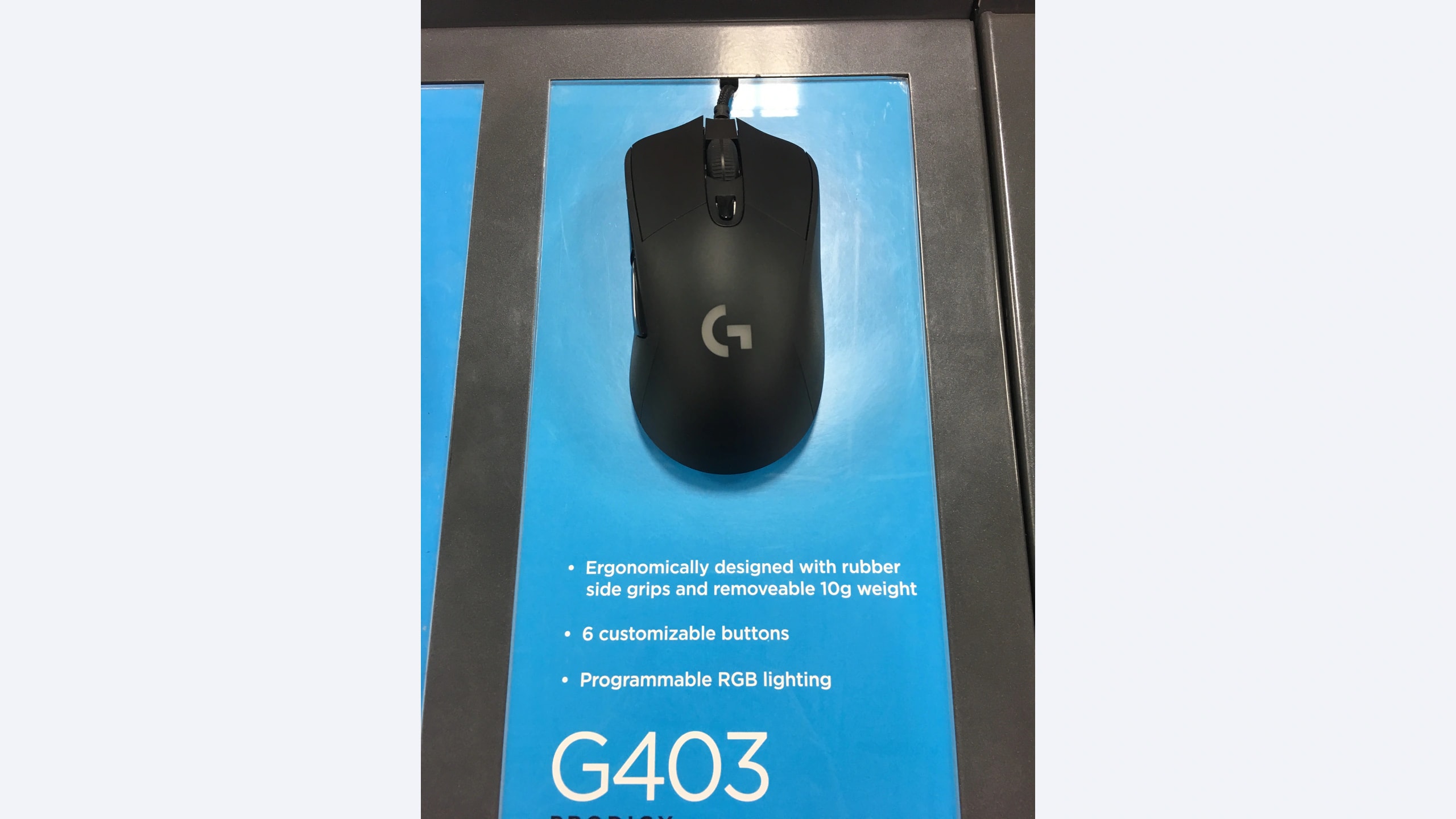
The original wired G403 Prodigy uses the PMW3366 sensor and includes an optional 10 g weight, as documented in Logitech’s Prodigy launch announcement. It has a rounded, supportive right-handed shell with rubber side grips. Keep this generation separate from the later G403 HERO: a seller’s use of the same short model number is not enough to establish the sensor or weight specification.
Marshall Honorof’s Tom’s Guide review covered both original versions. He liked their comfortable grip and configuration software, but found the thumb buttons less satisfying and questioned the design’s distinction from existing choices. His wireless observations apply to the wireless variant, so we do not use them as performance evidence for this wired model.
Our editorial reason to consider the wired Prodigy is familiarity: it offers a simple control arrangement with an optional way to add weight. That is useful if you already know you prefer its rounded support. It is less convincing as an unseen purchase made purely because the sensor has a good reputation. Check the underside identity and cable condition, then verify software support for the operating system you actually use. The original review’s favorable software experience does not guarantee that the same installation process remains available a decade later.
Razer DeathAdder V2
The wired DeathAdder V2 combines a right-handed shell with optical primary switches and a flexible attached cable. Razer’s RZ01-03210 support page lists eight programmable buttons and an approximate 82 g weight excluding the cable. This is not the smaller Mini or the wireless Pro. The published 61.7 mm width is not a safe substitute for the maximum shell width when planning hand fit or storage space.
RTINGS’ hands-on review found improvements in cable handling and feet compared with its predecessor. It considered the shape particularly suitable for palm use, while cautioning that smaller hands would have more difficulty with claw or fingertip grips. Its favorable latency findings are useful context, but we do not turn separate review generations into a precise three-way ranking.
We would shortlist it when a larger palm-oriented shape feels natural and the cable is part of the problem you want to solve. Verify reach to both side buttons while keeping your palm in its normal position. The attached cable is a limitation if easy replacement is your priority. Standard mouse input works through USB, while advanced assignments and lighting depend on compatible Razer software. The review used Synapse 3; check the current support page and supported-device list before assuming a particular software version will configure your unit.
SteelSeries Prime
The full-size wired Prime keeps the top controls simple and puts configuration controls underneath. The explicit wired Prime product page identifies the regular model’s TrueMove Pro sensor, optical magnetic primary switches and nominal 69 g design. Its cable detaches, which offers a practical maintenance and packing distinction. Prime+, Prime Mini and Prime Wireless have different features; an OLED display or wireless battery claim belongs to another version.
RTINGS’ original Prime test found a lightweight, well-built mouse with a flexible cable and smoothly gliding feet. It also noted the wheel’s ordinary functionality: no horizontal tilt and no unlocked scrolling. That tradeoff is reasonable for a focused game setup, but less appealing if the same mouse must navigate wide spreadsheets all day.
Our editorial preference would lean toward Prime if reducing carried mass and having a replaceable cable are important, assuming the shell fits. Do not treat its lower stated weight as a promise of better aim. Confirm that the cable is included and that another connector can physically fit the recessed socket before relying on easy replacement. Underneath controls are convenient for occasional setup changes, but less convenient if you repeatedly change sensitivity during play. Engine or GG compatibility should be checked independently of ordinary USB input on your chosen system.
A practical way to choose among the shapes
Use three movements as your comparison: a slow diagonal line, a quick turn followed by a stop, and a lift-and-reset. These are tasks to try during a return period or an in-store demonstration, not tests GearTrio has performed. Notice whether you tighten your grip, move your thumb away from support to find a button, or feel the cable tug at the end of your usable space.
If you like substantial rounded support and already know the original G403 shape, its straightforward design may remain useful. If your palm sits comfortably on the DeathAdder V2 and you want its more flexible attached cable, that is a coherent reason to choose it. If a lighter full-size shell and detachable cable solve the problem, the regular Prime is the most relevant candidate here. The answer follows your physical needs rather than a brand hierarchy.
Keep nominal manufacturer weight separate from measured review weight. Cable support, optional weights and the portion of cable on a scale change the result. We therefore avoid presenting these three figures as a laboratory comparison. Likewise, the Prime review and the later-updated DeathAdder review use different test-bench histories, so apparently precise latency gaps should not drive this decision.
Older units need a condition check. Inspect the feet, side material, main and thumb buttons, scroll direction changes and cable strain relief. Confirm that your exact model appears in current configuration software. Ask the seller about the return window and remaining manufacturer coverage; an original launch announcement is not evidence that a used purchase receives a new warranty. For the Razer, its general two-year mouse policy includes regional and end-of-life qualifications.
Make the choice around your main limitation
Choose the original wired G403 Prodigy for a known, comfortable fit and optional added weight, the DeathAdder V2 for palm support with its documented cable improvements, or the regular Prime for a lighter design and detachable connection. If none can be tried and the seller provides little model information, favor the offer with clear identity and a workable return policy over a speculative bargain.
For a different goal, our lightweight wireless mouse comparison explores cable-free alternatives. Readers who need several extra commands can use the existing wired multi-control comparison. This trio is most useful when your priority is the basic act of holding and moving the mouse.
Featured photograph: Only Logitech G403 Prodigy (Wired) is pictured; the other two compared models are not shown. Original 2016 G403 Prodigy wired exhibition sample with cable attached and its display sign; not the later HERO generation. Photo: Fastily, via Wikimedia Commons original source; CC BY-SA 4.0. Resized with neutral padding where needed to a 16:9 canvas and encoded as WebP; embedded metadata removed. No additional device cropping, retouching, generated detail or upscaling. This adaptation remains under CC BY-SA 4.0. No photographer endorsement is implied.
